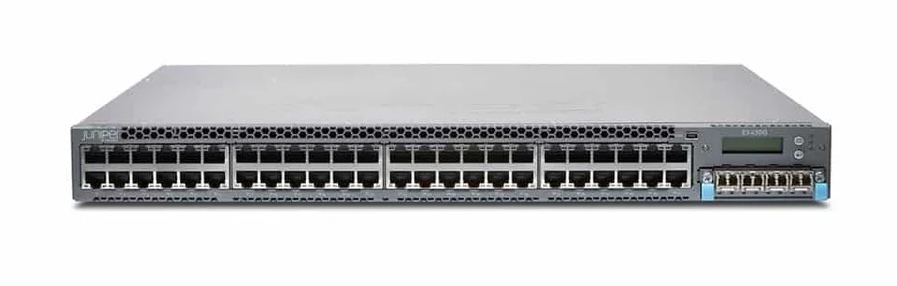
This tutorial is a reminder how to do something I perform once a year.
Requirements:
- a USB drive formatted to fat32
- matching firmware for the devices. (currently 21.4R3-S11.3 as of 10/25)
- Sub-note, always use an Junos SR release if you want stable.
- Only use R tagged release if you can except broekn stuf everywhere.
- a serial connection to the primary routing instance/chassis master
- To determine this run “show chassis hardware” and look for Chassis TC2607134532 Virtual Chassis
- I’m using ser2net on a raspberry pi connected with ttyUSB connected to the console port on my primary EX4600. this is wonderful.
Steps:
First off, take a config backup!
- “
show configuration | save <filename>“. For example “show configuration | save/mnt/config-backup-date.txt“
Read this Juniper support document.
Clean The Storage
The EX4300 has a limited storage capacity, so first we shall purge it’s temp files
- Run “
request system storage cleanup dry-run” in the cli. - Once you’re sure it’s working, run it again without “dry-run“
Results should look a little like:
root@stack01> request system storage cleanup
Please check the list of files to be deleted using the dry-run option. i.e.
request system storage cleanup dry-run
Do you want to proceed ? [yes,no] (no) yes
--- JUNOS 21.4R3.15 built 2022-09-03 07:20:43 UTC
fpc0:
--------------------------------------------------------------------------

List of files to delete:

	 Size Date	   Name
   107B Oct 23 11:50 /var/crash/bcast.disp.log
  2804B Oct 23 12:51 /var/crash/juniper.conf.sync.gz
    57B Oct 23 11:48 /var/crash/krt_rpf_filter.txt
   111B Oct 23 11:48 /var/crash/pfe_debug_commands
     0B Oct 23 13:00 /var/crash/rtsdb/if-rtsdb
     0B Oct 23 12:58 /var/crash/stable
    11B Oct 23 13:01 /var/jail/tmp/alarmd.ts
  33.4K Oct 23 12:58 /var/log/dcd.0.gz
   139B Oct 23 17:00 /var/log/default-log-messages.0.gz
 742.5K Oct 23 12:15 /var/log/dhcp_logfile.0.gz
  5977B Oct 23 17:00 /var/log/interactive-commands.0.gz
  8309B Oct 23 17:00 /var/log/messages.0.gz
  23.6K Oct 23 12:45 /var/log/messages.1.gz
  21.6K Oct 23 12:00 /var/log/messages.2.gz
   150B Oct 23 12:58 /var/log/wtmp.0.gz
    27B Oct 23 11:41 /var/log/wtmp.1.gz
    45B Oct 23 11:48 /var/preserve/jdhcp_client_data
    45B Oct 23 11:48 /var/preserve/jdhcp_client_data_bkp
   107B Oct 23 11:50 /var/tmp/bcast.disp.log
  2804B Oct 23 12:51 /var/tmp/juniper.conf.sync.gz
    57B Oct 23 11:48 /var/tmp/krt_rpf_filter.txt
   111B Oct 23 11:48 /var/tmp/pfe_debug_commands
     0B Oct 23 13:00 /var/tmp/rtsdb/if-rtsdb
     0B Oct 23 12:58 /var/tmp/stable

fpc1:
--------------------------------------------------------------------------

List of files to delete:

	 Size Date	   Name
   140B Oct 23 17:00 /var/log/default-log-messages.0.gz
  4003B Oct 23 17:00 /var/log/interactive-commands.0.gz
  3697B Oct 23 17:00 /var/log/messages.0.gz
  7194B Oct 23 13:00 /var/log/messages.1.gz
  6966B Oct 23 12:30 /var/log/messages.2.gz
  6397B Oct 23 12:00 /var/log/messages.3.gz
   132B Oct 23 17:00 /var/log/smartd.trace.0.gz
    88B Oct 23 12:59 /var/log/wtmp.0.gz
    27B Oct 23 11:41 /var/log/wtmp.1.gz
  2804B Oct 23 12:51 /var/tmp/juniper.conf.sync.gz
   111B Oct 23 12:59 /var/tmp/pfe_debug_commands

fpc2:
--------------------------------------------------------------------------

List of files to delete:

	 Size Date	   Name
   107B Oct 23 13:01 /var/crash/bcast.disp.log
  2804B Oct 23 10:19 /var/crash/juniper.conf.sync.gz
    57B Oct 23 13:00 /var/crash/krt_rpf_filter.txt
   111B Oct 23 11:51 /var/crash/pfe_debug_commands
     0B Oct 23 13:00 /var/crash/rtsdb/if-rtsdb
     0B Oct 23 12:58 /var/crash/stable
    11B Oct 23 13:06 /var/jail/tmp/alarmd.ts
 221.0K Oct 23 13:33 /var/log/chassisd.0.gz
   138B Oct 23 17:00 /var/log/default-log-messages.0.gz
 550.0K Oct 23 15:24 /var/log/dhcp_logfile.0.gz
 702.7K Oct 23 13:33 /var/log/dhcp_logfile.1.gz
  7594B Oct 23 17:00 /var/log/interactive-commands.0.gz
  7359B Oct 23 17:00 /var/log/messages.0.gz
  13.6K Oct 23 16:45 /var/log/messages.1.gz
  13.7K Oct 23 16:15 /var/log/messages.2.gz
  13.6K Oct 23 15:45 /var/log/messages.3.gz
  13.7K Oct 23 15:15 /var/log/messages.4.gz
  13.9K Oct 23 14:45 /var/log/messages.5.gz
  13.8K Oct 23 14:15 /var/log/messages.6.gz
  15.8K Oct 23 13:45 /var/log/messages.7.gz
  21.5K Oct 23 13:15 /var/log/messages.8.gz
  19.9K Oct 23 13:00 /var/log/messages.9.gz
   152B Oct 23 17:00 /var/log/wtmp.0.gz
    27B Oct 23 11:41 /var/log/wtmp.1.gz
    45B Oct 23 13:00 /var/preserve/jdhcp_client_data
    45B Oct 23 12:25 /var/preserve/jdhcp_client_data_bkp
   107B Oct 23 13:01 /var/tmp/bcast.disp.log
  2804B Oct 23 10:19 /var/tmp/juniper.conf.sync.gz
    57B Oct 23 13:00 /var/tmp/krt_rpf_filter.txt
   111B Oct 23 11:51 /var/tmp/pfe_debug_commands
     0B Oct 23 13:00 /var/tmp/rtsdb/if-rtsdb
     0B Oct 23 12:58 /var/tmp/stable

fpc3:
--------------------------------------------------------------------------

List of files to delete:

	 Size Date	   Name
   138B Oct 23 17:00 /var/log/default-log-messages.0.gz
  5946B Oct 23 17:00 /var/log/interactive-commands.0.gz
   266B Oct 23 17:00 /var/log/messages.0.gz
  6459B Oct 23 17:00 /var/log/messages.1.gz
  6516B Oct 23 16:15 /var/log/messages.2.gz
  6510B Oct 23 15:30 /var/log/messages.3.gz
  6452B Oct 23 14:45 /var/log/messages.4.gz
  5845B Oct 23 14:00 /var/log/messages.5.gz
  9262B Oct 23 13:30 /var/log/messages.6.gz
  12.1K Oct 23 13:00 /var/log/messages.7.gz
  13.9K Oct 23 12:45 /var/log/messages.8.gz
  12.8K Oct 23 12:30 /var/log/messages.9.gz
   130B Oct 23 17:00 /var/log/smartd.trace.0.gz
   194B Oct 23 12:59 /var/log/wtmp.0.gz
    27B Oct 23 11:41 /var/log/wtmp.1.gz
  2804B Oct 23 12:51 /var/tmp/juniper.conf.sync.gz
   111B Oct 23 12:13 /var/tmp/pfe_debug_commands
Next steps are to exit to shell, mount the USB with your install on it, and copy files to the MASTER!!! If you aren’t sure, check serial numbers against the show virtual-chassis status command.
root@stack01> show virtual-chassis status

Preprovisioned Virtual Chassis
Virtual Chassis ID: 614c.c105.18b9
Virtual Chassis Mode: Mixed
                                                Mstr           Mixed Route Neighbor List
Member ID  Status   Serial No    Model          prio  Role      Mode  Mode ID  Interface
0 (FPC 0)  Prsnt    TC111111024 ex4600-40f     129   Backup       Y  VC   2  vcp-255/0/24
                                                                           1  vcp-255/0/26
                                                                           3  vcp-255/0/23
1 (FPC 1)  Prsnt    PD1111110770 ex4300-48p       0   Linecard     Y  VC   0  vcp-255/1/0
                                                                           2  vcp-255/1/1
2 (FPC 2)  Prsnt    TC1111110326 ex4600-40f     129   Master*      Y  VC   0  vcp-255/0/24
                                                                           1  vcp-255/0/27
3 (FPC 3)  Prsnt    PD1111110947 ex4300-48p       0   Linecard     Y  VC   0  vcp-255/2/0


{master:2}
root@stack01:RE:2%	umass0: at uhub2 port 2 (addr 3) disconnected
(da0:umass-sim0:0:0:0): lost device
(da0:umass-sim0:0:0:0): removing device entry
umass0: detached
umass0: vendor 0xfafa product 0xfafa, rev 2.00/1.07, addr 3
da0 at umass-sim0 bus 0 target 0 lun 0
da0: <  8.07> Removable Direct Access SCSI-4 device
da0: 40.000MB/s transfers
da0: 61035MB (124999680 512 byte sectors: 255H 63S/T 7780C)

root@stack01:RE:2%	mount_msdosfs /dev/da0s1 /mnt
root@stack01:RE:2%	cp /mnt/jinstall-* /var/tmp
Now to actually install the code… Use the following command request system software add set [/var/tmp/<filename1> /var/tmp/<filename2>]
- use the no-verification directive in the above command to avoid annoying config checks. Only do this if you have issues.
root@stack01:RE:2%	cli
{master:2}
root@stack01>request system software add set [/var/tmp/jinstall-host-ex-4600-21.4R3-S11.3-signed.tgz /var/tmp/jinstall-ex-4300-21.4R3-S11.3-signed.tgz]
[Oct 23 17:22:37]: Retrieving software images. This process can take several minutes. Please be patient..

Retrieving version and model information from /var/tmp/jinstall-host-ex-4600-21.4R3-S11.3-signed.tgz

Retrieving version and model information from /var/tmp/jinstall-ex-4300-21.4R3-S11.3-signed.tgz

Checking pending install on fpc1

Checking pending install on fpc3
Pushing bundle /var/tmp/jinstall-ex-4300-21.4R3-S11.3-signed.tgz to fpc1
Pushing bundle /var/tmp/jinstall-ex-4300-21.4R3-S11.3-signed.tgz to fpc3

fpc1:
Verify the signature of the new package
Verified jinstall-ex-4300-21.4R3-S11.3.tgz signed by PackageProductionECP256_2025 method ECDSA256+SHA256
WARNING: A reboot is required to install the software
WARNING:     Use the 'request system reboot' command immediately

fpc3:
Verify the signature of the new package
Verified jinstall-ex-4300-21.4R3-S11.3.tgz signed by PackageProductionECP256_2025 method ECDSA256+SHA256
WARNING: A reboot is required to install the software
WARNING:     Use the 'request system reboot' command immediately

Checking pending install on fpc0

Checking pending install on fpc2
Pushing bundle /var/tmp/jinstall-host-ex-4600-21.4R3-S11.3-signed.tgz to fpc0

fpc0:
Verified jinstall-vjunos-21.4R3-S11.3.tgz signed by PackageProductionSHA1RSA_2025 method RSA2048+SHA1
Adding vjunos...
Saving contents of boot area prior to installation

WARNING:     This package will load JUNOS 21.4R3-S11.3 software.
WARNING:     It will save JUNOS configuration files, and SSH keys
WARNING:     (if configured), but erase all other files and information
WARNING:     stored on this machine.  It will attempt to preserve dumps
WARNING:     and log files, but this can not be guaranteed.  This is the
WARNING:     pre-installation stage and all the software is loaded when
WARNING:     you reboot the system.

POST-INSTALL...
Saving the config files ...
NOTICE: uncommitted changes have been saved in /var/db/config/juniper.conf.pre-install
Pushing installation package to host...
Extracting jinstall-ex-4600-21.4R3-S11.3 ...
Install jinstall-ex-4600-21.4R3-S11.3 completed
Install jinstall-vjunos completed

WARNING:     A REBOOT IS REQUIRED TO LOAD THIS SOFTWARE CORRECTLY. Use the
WARNING:     'request system reboot' command when software installation is
WARNING:     complete. To abort the installation, do not reboot your system,
WARNING:     instead use the 'request system software delete jinstall'
WARNING:     command as soon as this operation completes.

Saving state for rollback ...

fpc2:
Verified jinstall-vjunos-21.4R3-S11.3.tgz signed by PackageProductionSHA1RSA_2025 method RSA2048+SHA1
Adding vjunos...
Saving contents of boot area prior to installation

WARNING:     This package will load JUNOS 21.4R3-S11.3 software.
WARNING:     It will save JUNOS configuration files, and SSH keys
WARNING:     (if configured), but erase all other files and information
WARNING:     stored on this machine.  It will attempt to preserve dumps
WARNING:     and log files, but this can not be guaranteed.  This is the
WARNING:     pre-installation stage and all the software is loaded when
WARNING:     you reboot the system.

POST-INSTALL...
Saving the config files ...
NOTICE: uncommitted changes have been saved in /var/db/config/juniper.conf.pre-install
Pushing installation package to host...
Extracting jinstall-ex-4600-21.4R3-S11.3 ...
Install jinstall-ex-4600-21.4R3-S11.3 completed
Install jinstall-vjunos completed

WARNING:     A REBOOT IS REQUIRED TO LOAD THIS SOFTWARE CORRECTLY. Use the
WARNING:     'request system reboot' command when software installation is
WARNING:     complete. To abort the installation, do not reboot your system,
WARNING:     instead use the 'request system software delete jinstall'
WARNING:     command as soon as this operation completes.

Saving state for rollback ...

{master:2}
Almost done. Now Reboot all the member switches once the installation is complete.
root> request system reboot all-members
Reboot the system ? [yes,no] (no) yes
And finally Verify the version once the switches come up after reboot.
{master:0}
root> show version